Find the right HOG.TV link
HOG.TV video pages use Hog.mobi. Open the video you want and copy its address.
The link must start with hog.mobi/video/. Do not copy a Home, Trending, Categories, or search link.
How to download a HOG.TV video
-
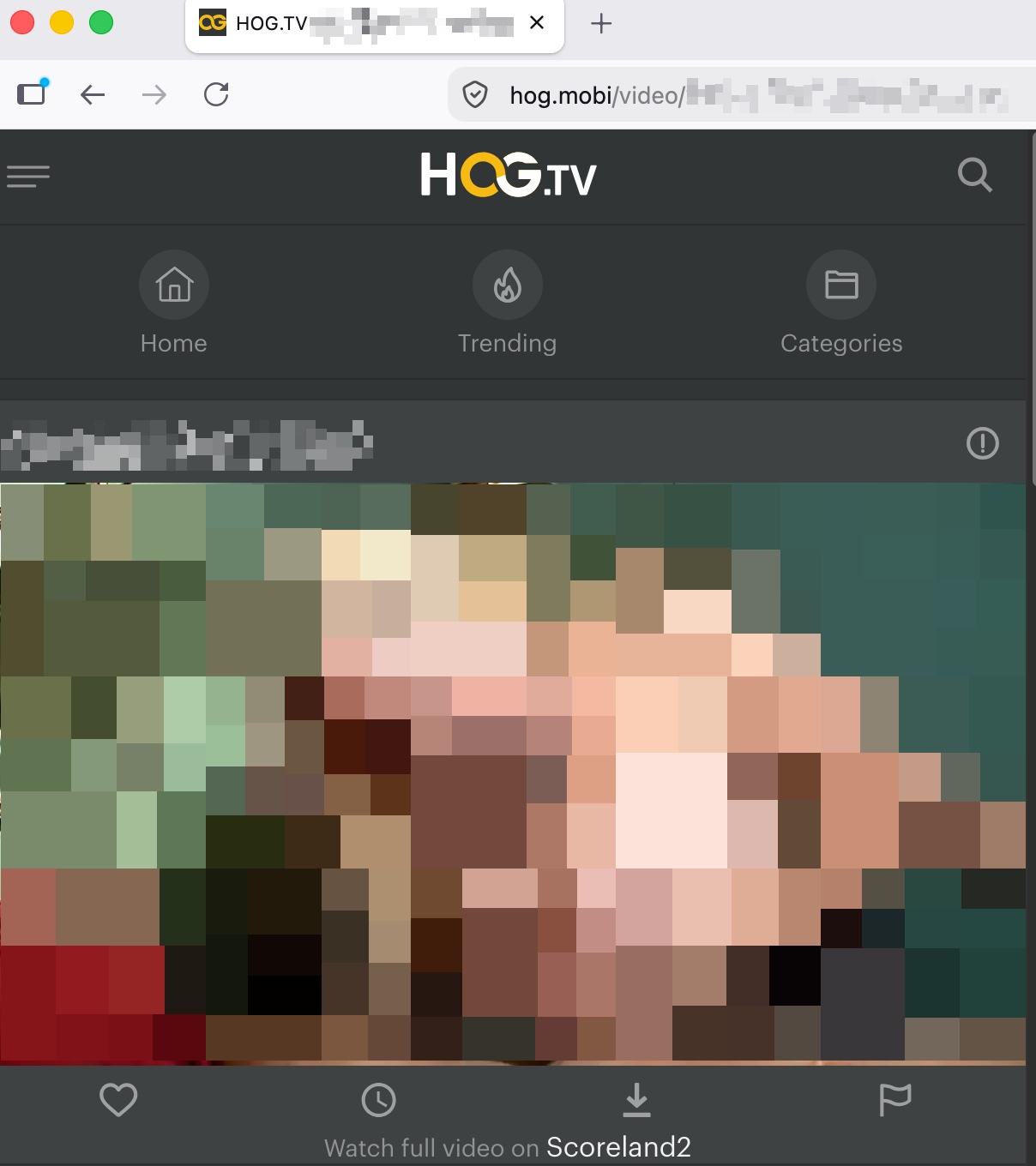
Copy the video link
Open a video on Hog.mobi. Copy the full link from the browser.
-
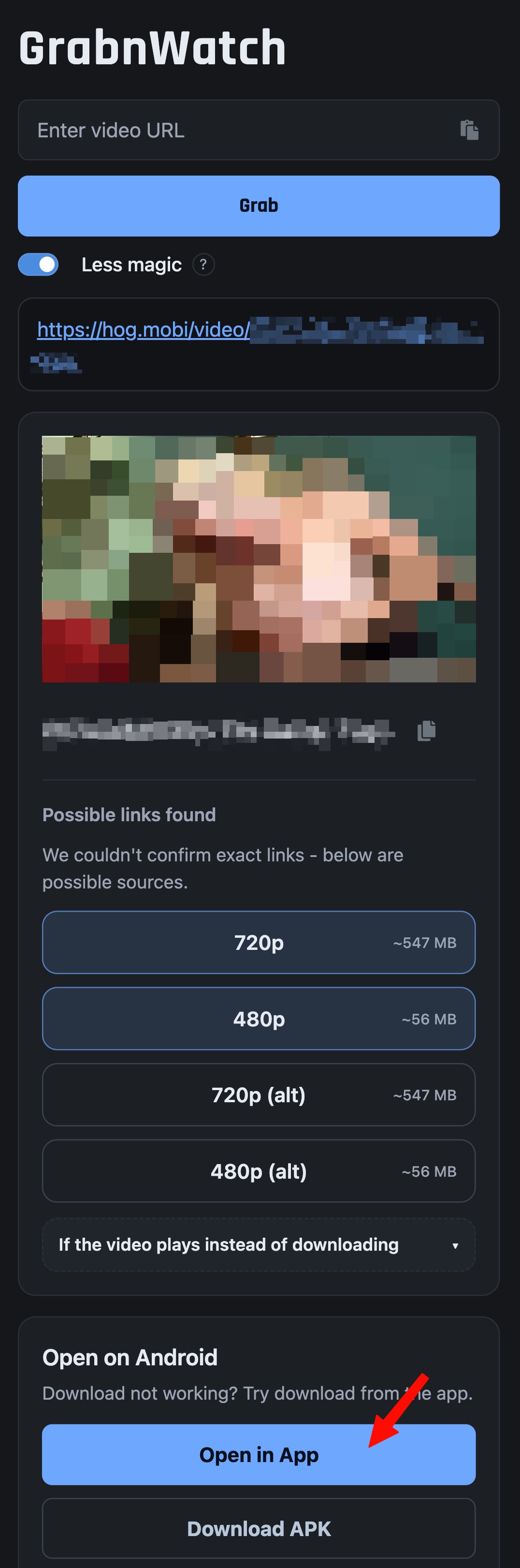
Open the result in the app
Open GrabnWatch.com on Android. Paste the link and tap Grab. Then tap Open in App.
-
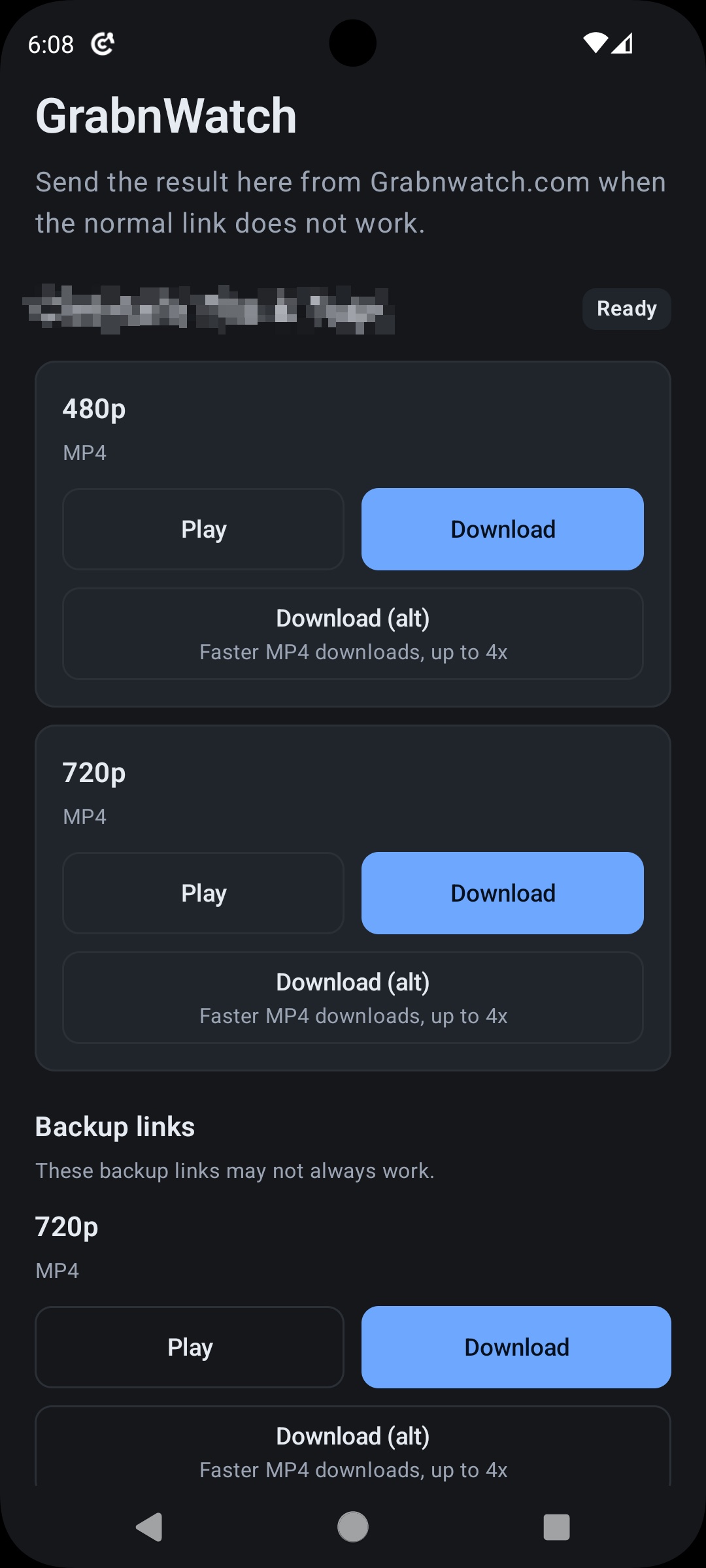
Choose a video quality
Choose a quality and tap Download. You can also try Download (alt) or Backup links.
Why use the Android app?
GrabnWatch.com can show the video quality and file size, but the download may not start in a web browser. Tap Open in App and download the video there.
If the video does not work
Check that the link starts with hog.mobi/video/. Use the latest version of GrabnWatch app. Deleted videos and old links may not work. Get GrabnWatch app.